 Broadcast Cam
Dual camera vlogging on your Android phone
Film yourself and what you see at the same time. VLOG mode uses the front and rear cameras together, so your reaction and the scene sit in one picture, recorded or live.

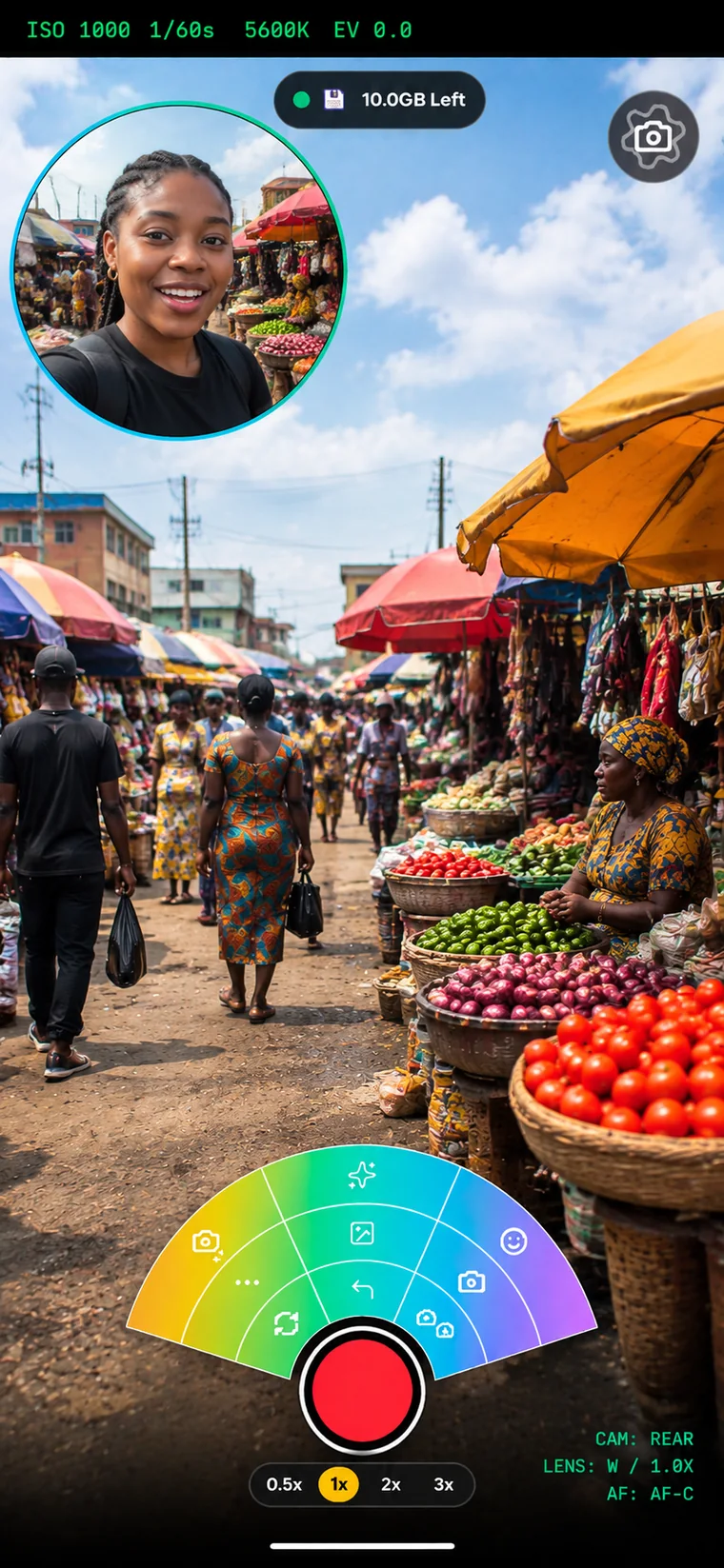
Both cameras at once
Picture-in-picture, side by side, or switch between front and rear live without stopping the recording.
Graphics and titles
Lower thirds, your logo, breaking news tickers and end credits on the picture, recorded and streamed.
Background removal
Replace or blur what is behind you, no green screen needed.
How it works
- Open VLOG mode and choose your layout.
- Pick a microphone: built-in, wired, USB or Bluetooth.
- Record to the phone or go live to YouTube, Facebook, Twitch or any RTMP server.