ON AIR
BROADCAST CAM

Your Studio.
Anywhere.

Turn smartphones and tablets into powerful live production tools for creators, field reporters, remote guests and directors. Capture, connect, produce and stream, without needing a broadcast truck.

Scroll to explore
The Platform

Your camera and video mixer, in your pocket.

Broadcast Cam brings the capabilities of professional video cameras and video mixers into a smartphone and tablet based production environment. It's not just a better phone camera, it's a mobile device doing the job of separate cameras, switching equipment, audio gear and graphics systems.
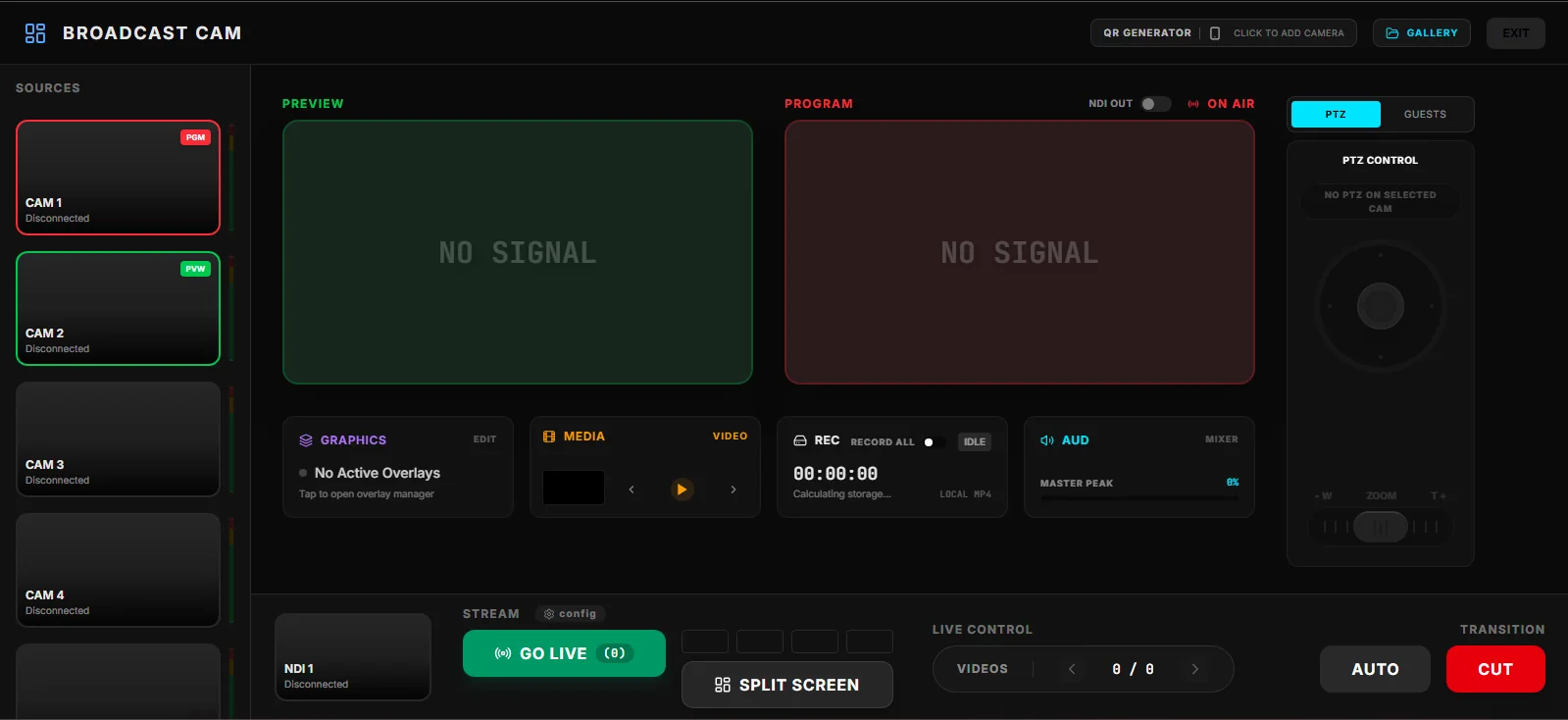
Broadcast Cam Multicam production interface
01

Capture

A phone, a tablet, a webcam or a capture device, with professional controls wherever the story is.

02

Connect

Reporters and guests join the production instantly from wherever they are.

03

Produce

A director monitors every source, manages graphics and builds the program.

04

Distribute

Your finished program reaches social platforms and professional broadcast systems alike.
Capture

Five ways to shoot, built for five kinds of work.

Every mode shares the same production engine, including graphics and professional audio, tuned to a different job. Background removal is available in VLOG, PRO CAM and Reporter.

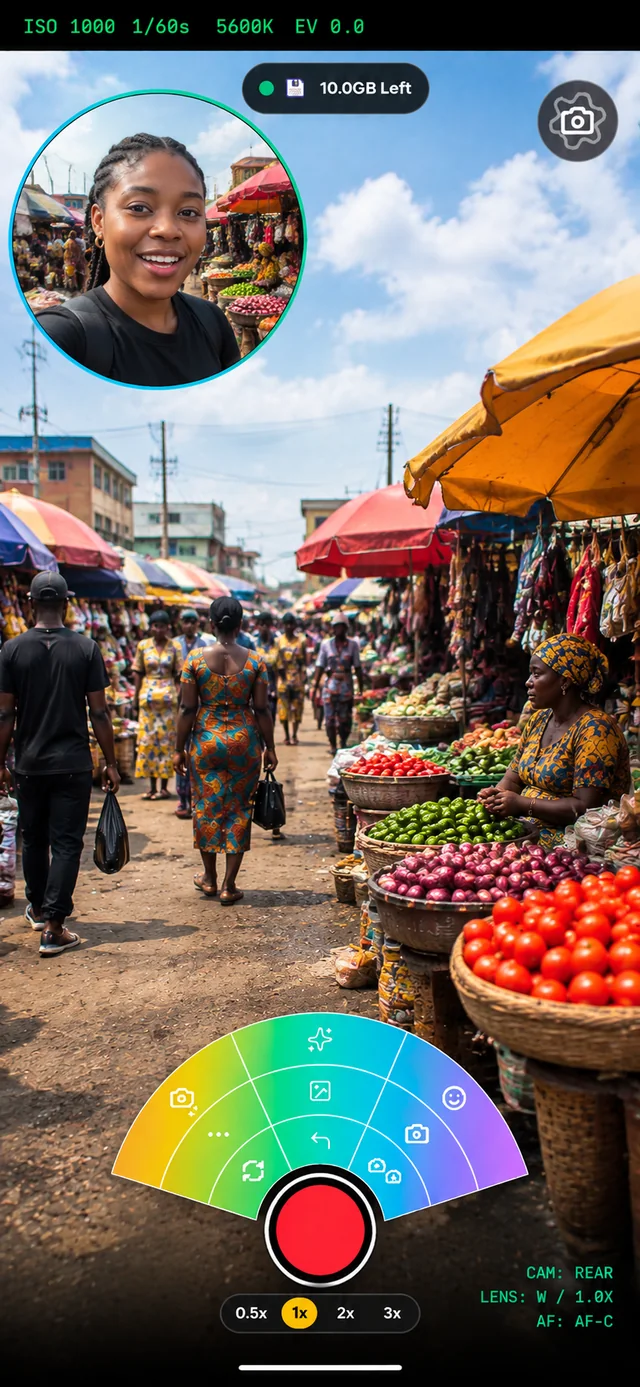
A creator filming herself in Broadcast Cam VLOG mode
CREATE · RECORD · GO LIVE

VLOG Mode

Professional, polished live production without a complicated setup, for creators who want to focus on content instead of controls.

  • Front and rear camera with quick switching
  • Lower thirds, watermark and media overlays
  • Background removal
  • A floating control panel that stays out of your shot
PRO CONTROL

PROCAM Mode

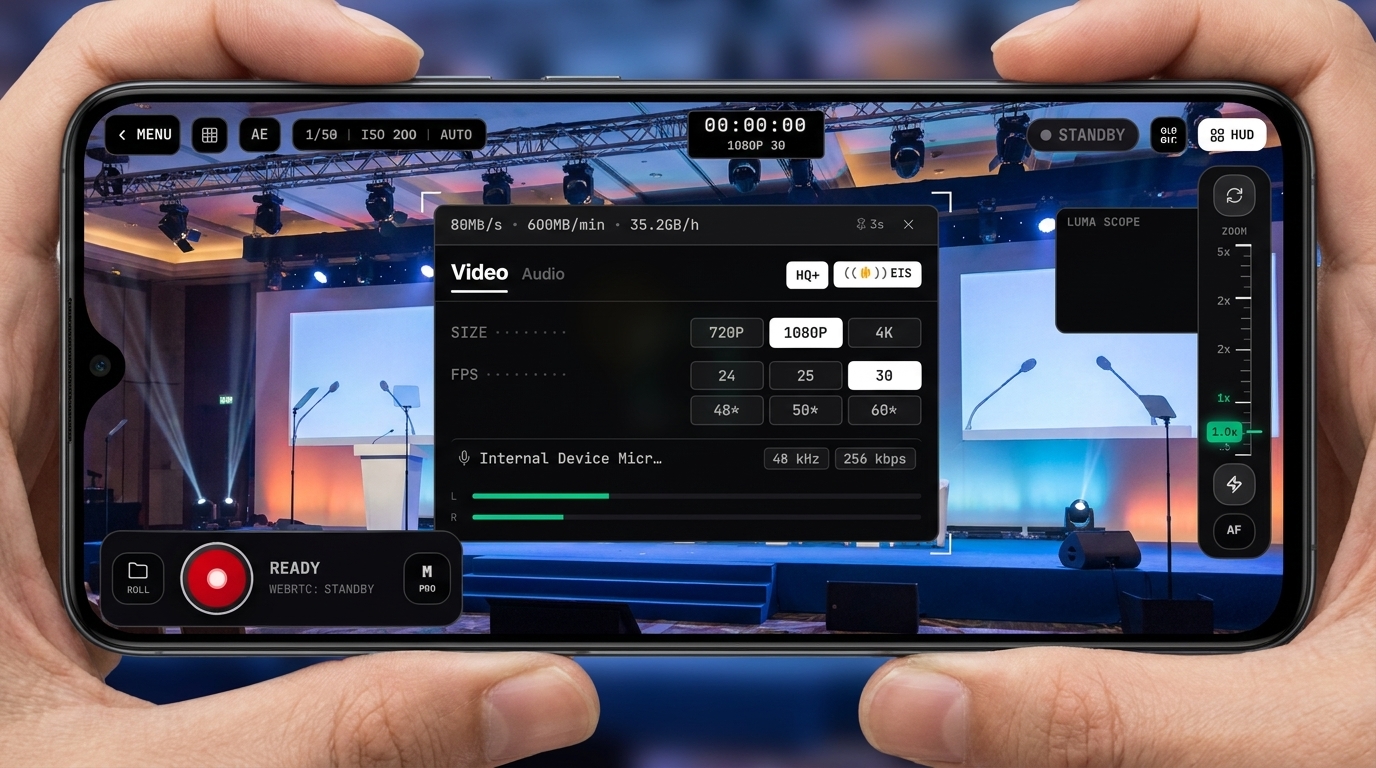
Advanced camera control for filmmakers, event producers and camera operators, in portrait or landscape.

  • Manual zoom, focus, white balance and exposure
  • Switch between multiple cameras
  • Production monitoring
  • Graphics and background removal
FIELD REPORTING

Reporter Mode

Report live from anywhere, and stay connected to your studio the whole time.

  • Use your phone camera, a webcam, a video capture card or a video mixer
  • A fast, reliable connection back to the studio
  • Two way TalkBack with the studio
  • Secure links for every session
CONNECT YOUR GEAR

USB Cam Mode

Already own a capture card or a video mixer? Plug it straight into your phone or tablet over USB and put it to work.

  • Connect external capture cards over USB
  • Connect external video mixers over USB
  • Bring existing gear into the same production engine
  • Graphics still apply
MULTI DEVICE

Multicam Mode

Turn a handful of phones and tablets into a full multi camera production, switched live.

  • Combine multiple mobile cameras into one production
  • Switch live between sources
  • Works alongside Reporter and USB Cam sources
  • Sends the finished program out over NDI® to professional systems on the same network1

1. NDI® is a registered trademark of Vizrt NDI AB. Learn more at ndi.video.

Reporter Mode

From the field, straight into the show.

Reporter Mode gives your field team a simple way to report live, and gives your studio a simple way to bring them into the program, without leaving the tools your team already uses.

01

Reporter connects

The reporter opens the app in the field and connects to the studio.

02

Studio receives

The studio instantly sees and hears the reporter.

03

Director brings them in

The director adds the reporter to the live program whenever they are ready.

04

Program goes out

The finished show reaches your chosen destinations.

TalkBack

Don't just send video. Stay connected.

Reporter Mode works both ways. The studio can talk to the reporter while they're live, through wired or Bluetooth headphones, and the reporter can mute that feed whenever they need to.

Reporter to Studio Video and Audio Live
Studio to Reporter TalkBack Two way
Reporter Mute TalkBack Available
Live Guest

Bring your guest in, without putting them in the studio.

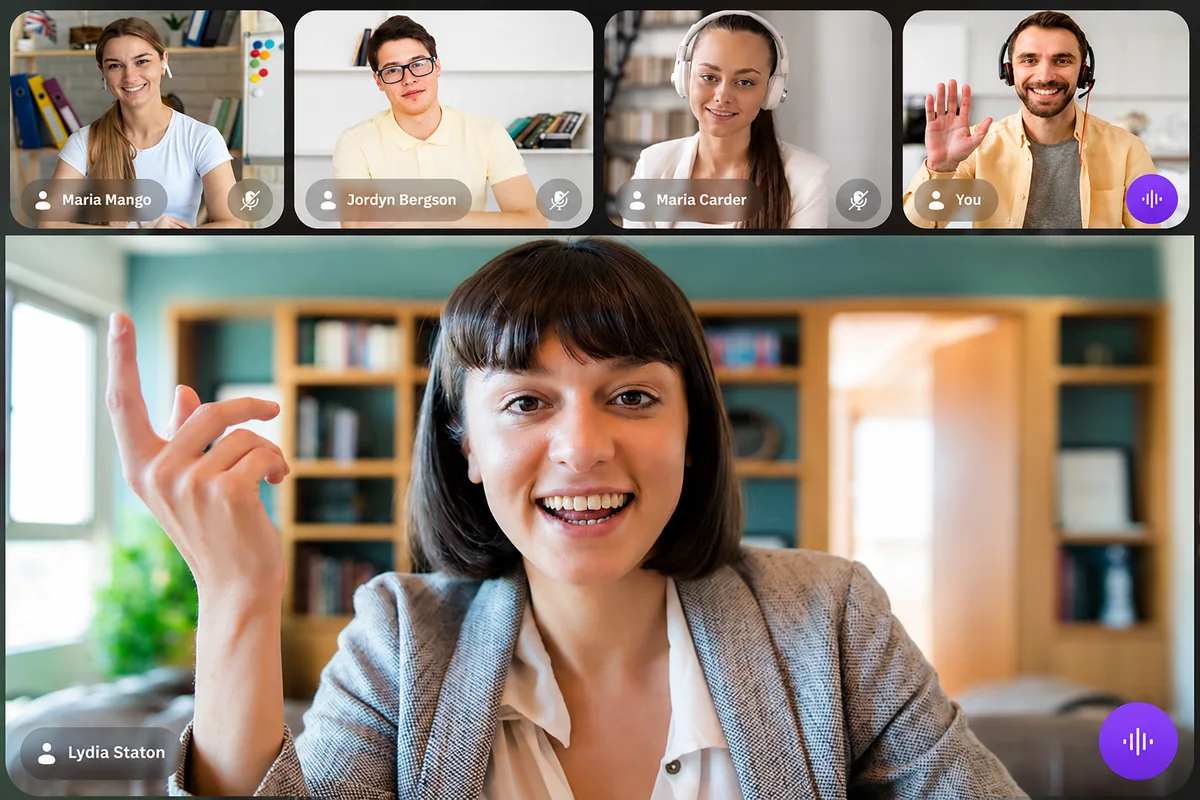
A guest opens a secure invitation, allows camera and microphone access, and joins, with no broadcast knowledge required. Virtual Guest sessions extend this to a presenter and multiple guests at once, for interviews, panels and podcasts.

A presenter and guests in a Broadcast Cam Virtual Guest session
Wireless Camera

Pair a phone as a camera, no cable required.

Add a phone as an extra camera for Multicam Mode over your local network, with the same live monitoring and quality readouts you'd expect from a wired feed.

Broadcast Cam Wireless Camera pairing interface
Produce

The control room, in your hands.

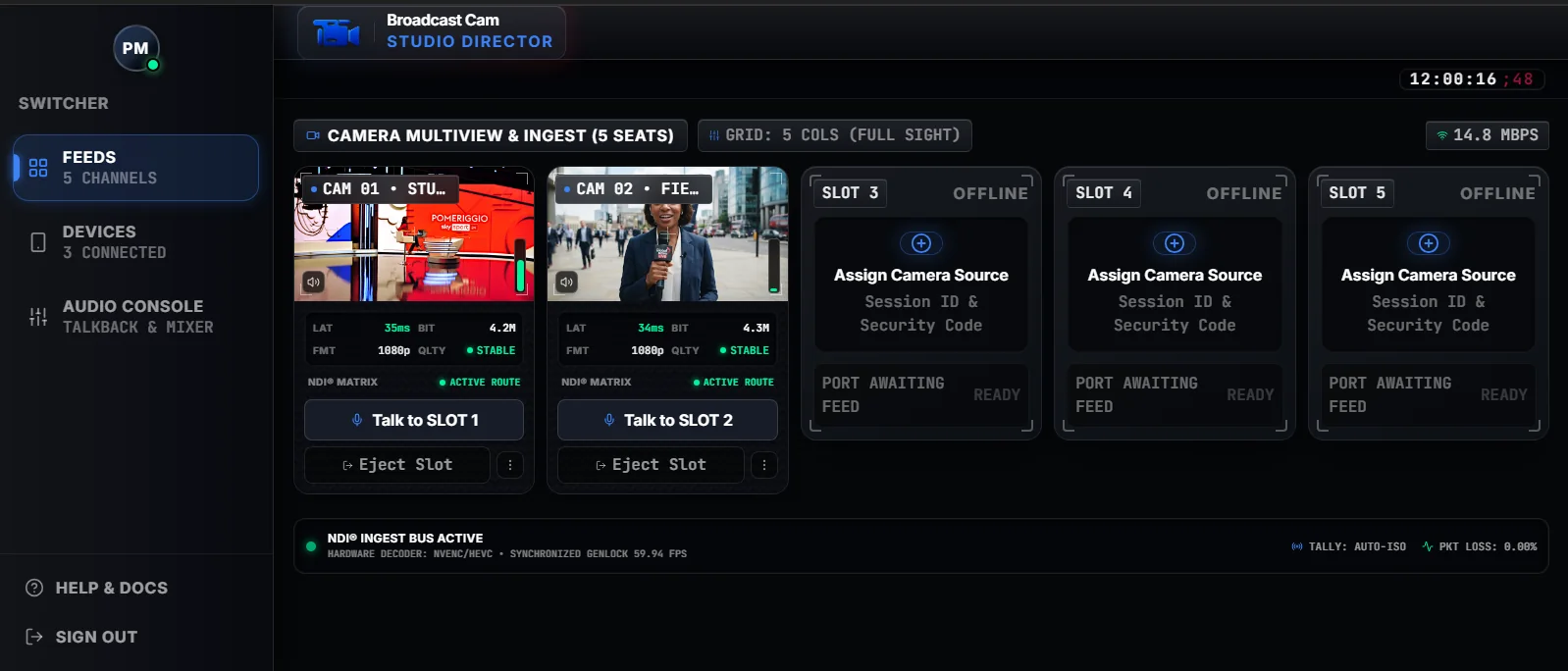
Broadcast Cam Studio Director (in development) is the desktop companion for remote reporting. Reporters connect from the Broadcast Cam app, and Director sends each one out as its own NDI® source into your production switcher, such as vMix, OBS or TriCaster, on the same network, with talkback to every reporter.1 See Director in detail →

Broadcast Cam Studio Director interface (in development)

1. NDI® is a registered trademark of Vizrt NDI AB. Learn more at ndi.video.

Graphics

Professional graphics, no graphics operator required.

Lower thirds, watermarks and media overlays are prepared ahead of time, then gated by a single Global Overlay switch. A graphic being ready doesn't mean it's already on air.

GraphicIndividualGlobalOutput
Lower ThirdONONLIVE
WatermarkOFFONHIDDEN
MediaONONLIVE
Lower ThirdONOFFHIDDEN
Distribute

One production. Multiple destinations.

Connect through each platform's own login, never a typed in password, then control every destination on its own, or start them all at once.

YouTube Connected
Facebook Connected
Twitch Disconnected
Instagram Live Connected
TikTok Live Disconnected
Custom Destination Connected
Who It's For

Built for anyone producing where the story is.

Content Creators

Live shows, podcasts, interviews and social content.

Journalists and Reporters

Stay connected to the studio while reporting from the field.

Media Organizations

Extend existing production with mobile production tools.

Churches and Organizations

Broadcast services, conferences and events to online audiences.

Event Producers

Manage live productions from flexible mobile setups.

Educators and Institutions

Produce lectures, interviews and live programs.

Businesses

Create professional live presentations and announcements.

Production Companies

Remote crews and productions across multiple locations.

Get Started

Professional production, wherever the story happens.

Capture. Connect. Produce. Communicate. Stream.

Android Available iPhone and iPad Coming Soon Windows for Director In Development macOS for Director In Development
About Us

Built on real production experience.

Patrido Multimedia grew out of real, hands on experience in broadcasting and live production, not a background in software alone. That experience shapes every part of Broadcast Cam. Read our full journey →

Patrido Multimedia